HOW IT WORKS
From the far side of the call to a headset in your room — in about three seconds.
One application. One Windows PC. Five things, in order, for every sentence anyone says.
- 01
Listen
Takes the sound the room PC plays — your call, a microphone or a mixer — at the Windows audio layer.
- 02
Find the sentences
Speech detection marks where each sentence starts and ends, so it is handled whole — never mid-thought.
- 03
Recognise
On-device speech recognition writes down what was said and detects which language it was.
- 04
Translate
Into every language chosen for the meeting, all at once. A glossary keeps names, ranks and terms fixed.
- 05
Speak & deliver
A natural voice speaks each translation; the room network carries it, with a caption, to every phone that chose it.
Three screens. Three people. Each sees only what they need.
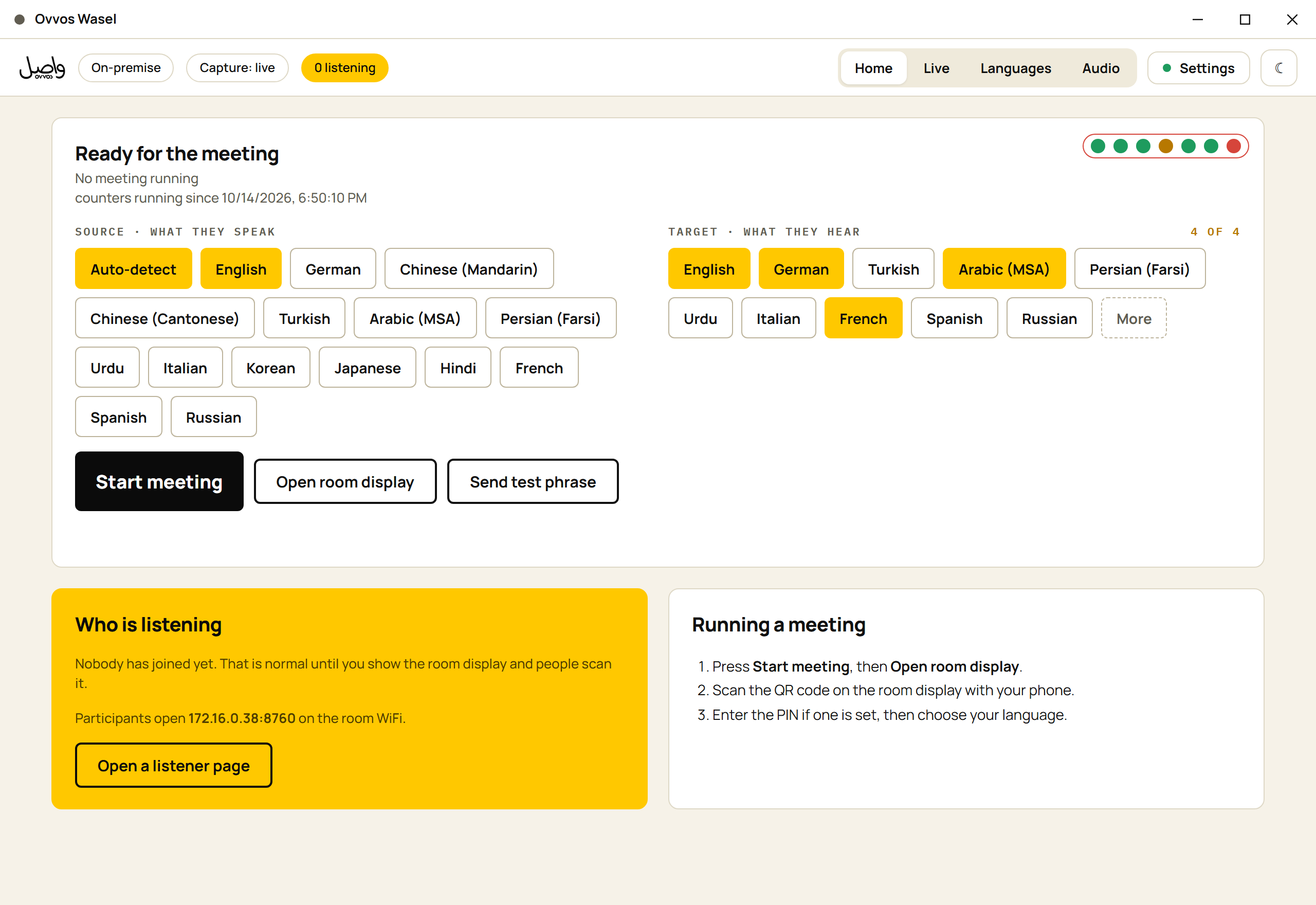
One window. Seven green lights before anyone speaks.
Before the meeting: seven readiness indicators — audio heard, sound reaching, speech detection, engines, translations arriving, languages, network — and the languages chosen. During it: latency, listeners, and four loss counters that each point at a different fix.
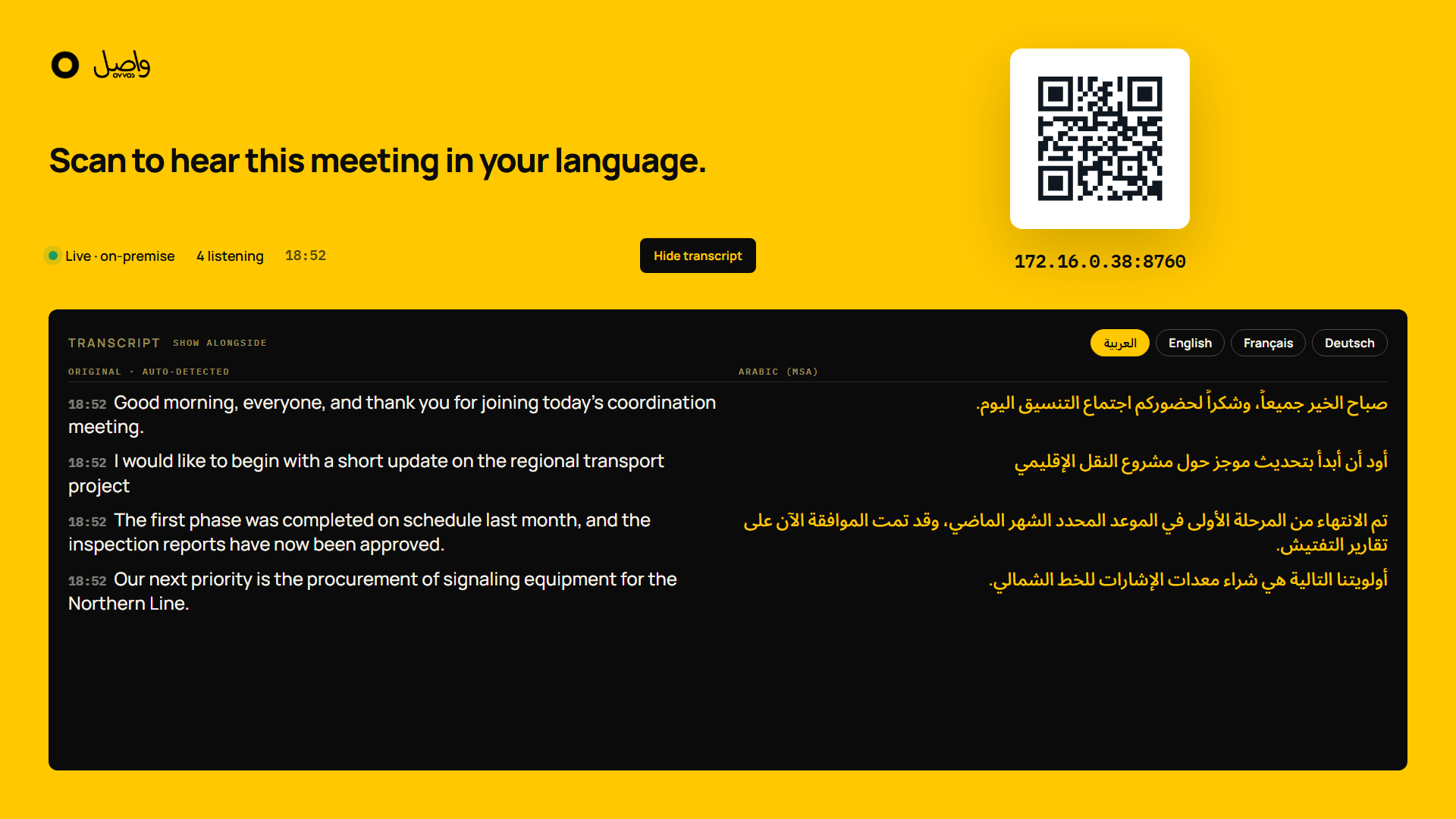
A wall screen that briefs the room for you.
The room display shows a QR code, the address, the PIN and the languages running. An optional live transcript sets the original beside a translation — from the moment it's turned on, and gone when the meeting ends.
One decision, then it gets out of the way.
A page on their own phone. Pick a language, and the interpreted audio plays in the headset with the current sentence on screen and the last few above it. Arabic, Urdu and Persian read right to left.
A meeting, start to finish.
- BEFORE · ~45 S
Switch on
About 45 seconds later the PC says it's ready and asks for the languages.
- AS THE ROOM FILLS
Start meeting
Press Start meeting and put the room display on screen.
- DURING
Nothing to manage
People scan, pick a language and listen. Late arrivals join the same way.
- AFTER
End meeting
Interpretation stops at once on every phone. The room display clears.
How it works, in short answers.
How far behind the speaker is the interpretation?
Typically two to four seconds. In a measured four-language meeting the median was 3.0 seconds.
Can people switch language mid-meeting?
Yes. From the options sheet on their phone, they can switch to any language running in the meeting, mute, or skip to live.
What if two languages are spoken in one meeting?
The source language is detected per sentence. Any mix of the 15 languages it hears can be spoken in one meeting.
Who needs to operate it?
Anyone who can start a meeting. The quick start guide gets a first meeting running in about ten minutes.