No cloud, no telemetry, no update check
Models ship in the installer and are read from the PC's own disk. No licence server, ever.
SECURITY & PRIVACY
On the default on-premise profile every stage — recognition, translation, speech — runs on the room PC. We recorded every connection the software made during a full meeting. To anywhere outside the PC: none.
Models ship in the installer and are read from the PC's own disk. No licence server, ever.
Port 8760, for phones and the room display. Every internal component listens on the PC itself only.
It lives in memory for the seconds it takes to process. There is no setting that records it.
Recognised text is held long enough to translate and speak, then discarded.
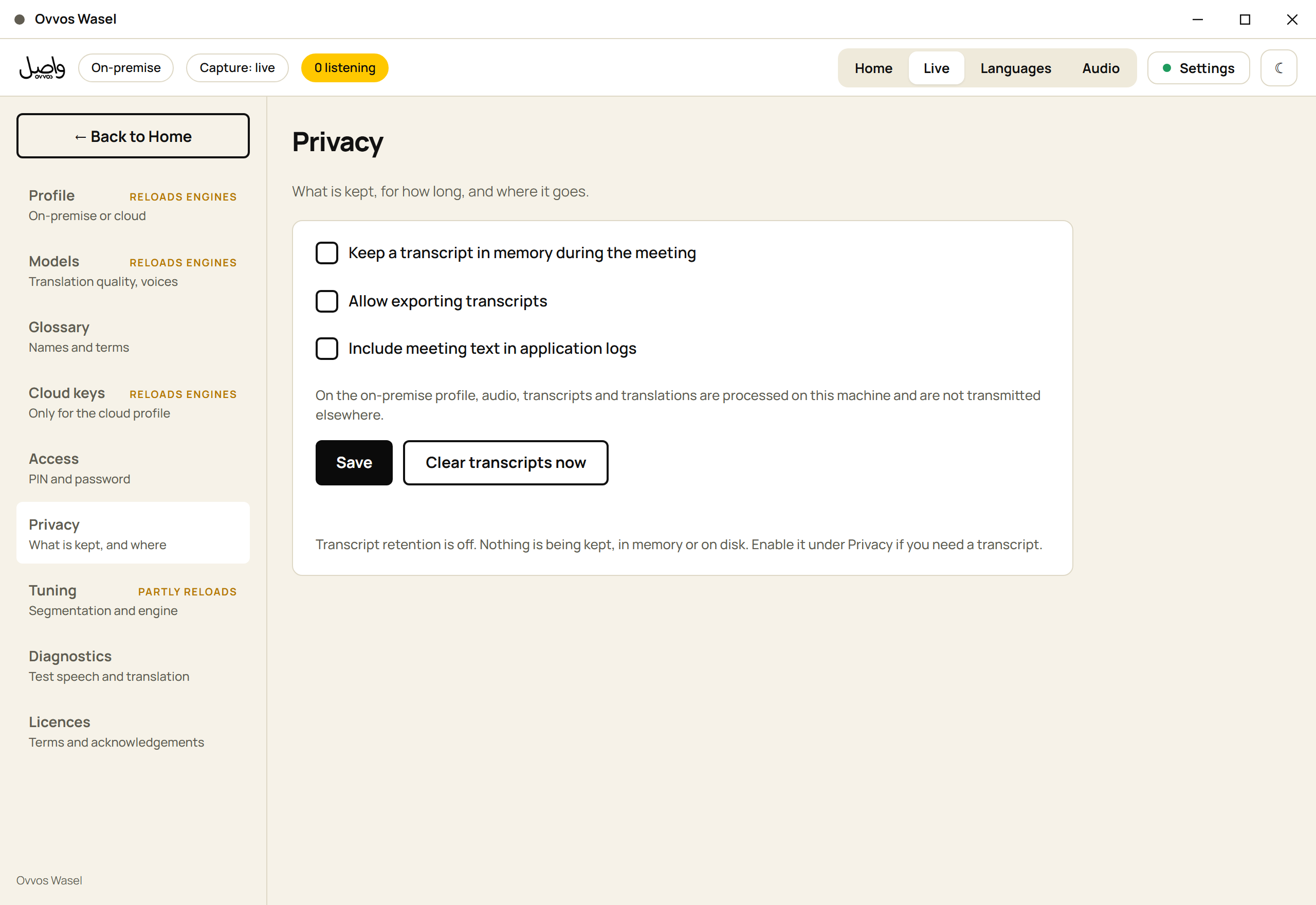
Retention, export and text-in-logs are three separate switches. Logs record a sentence's length, never its words.
An optional PIN per meeting for phones, a generated administrator password for the console, an output-only room display.
No standing agent, no vendor account, no inbound port. When help is needed, your operator opens an attended session with your own tool — and closes it.
Out of the box, nothing is kept — in memory or on disk. An operator who needs a transcript turns it on deliberately, on a page that says exactly what changes. "Clear transcripts now" is one button away.
An optional cloud profile can use Microsoft Azure, Deepgram, DeepL, OpenAI, Anthropic Claude or ElevenLabs for faster or additional languages. It is off by default, does nothing until an operator enters API keys, and by design sends audio and text to the chosen provider. Do not enable it where content must stay on site.
Nowhere but the room PC's memory, for the seconds it takes to process. Never written to disk.
Anyone on the room network who has the meeting PIN, if one is set. Without the PIN, the page offers nothing to choose.
Two preferences only: their language and light or dark display. Captions exist only while the page is open.
No. No telemetry, no update check, no licence server, no model download.